Running a digital agency means juggling multiple tools, deadlines, clients, and platforms -often all at once. From content planning to analytics, the workflow can become overwhelming fast. But what if one social media management tool for agencies could replace five different tools? That’s where Mavic AI comes in.
In this guide, we’ll explore how all-in-one software like Mavic simplifies agency operations, reduces burnout, and increases efficiency across teams.
Top 3 Common Queries
- What’s the best all-in-one social media management tool for agencies?
- Can I manage content, design, analytics, and scheduling in one place?
- How do I scale client work without increasing my workload?
The Workflow Struggle: Too Many Tools, Too Little Time
Agencies commonly rely on a stack of 5–7 tools just to execute everyday marketing tasks. Here’s what that looks like:
- Content writing in one app
- Design in a second tool
- Post scheduling somewhere else
- Client analytics reports in spreadsheets
- Strategy documents in a shared drive
Switching between tools kills productivity and creates disjointed brand messaging. Not to mention the stress of missed deadlines, manual work, and inconsistent results.
This is why many agency owners now seek out all-in-one content planners that bring everything under one roof.
Mavic: One Platform That Powers Your Entire Marketing Workflow
Mavic isn’t just another social media management tool for agencies – it’s a complete AI-powered brand marketing command center that replaces the clutter of five or more disconnected tools. From branding and content creation to publishing, analytics, and automation – Mavic helps agencies, freelancers, and small businesses run smarter, faster, and more profitably.
Let’s break down how Mavic transforms each critical part of your workflow:
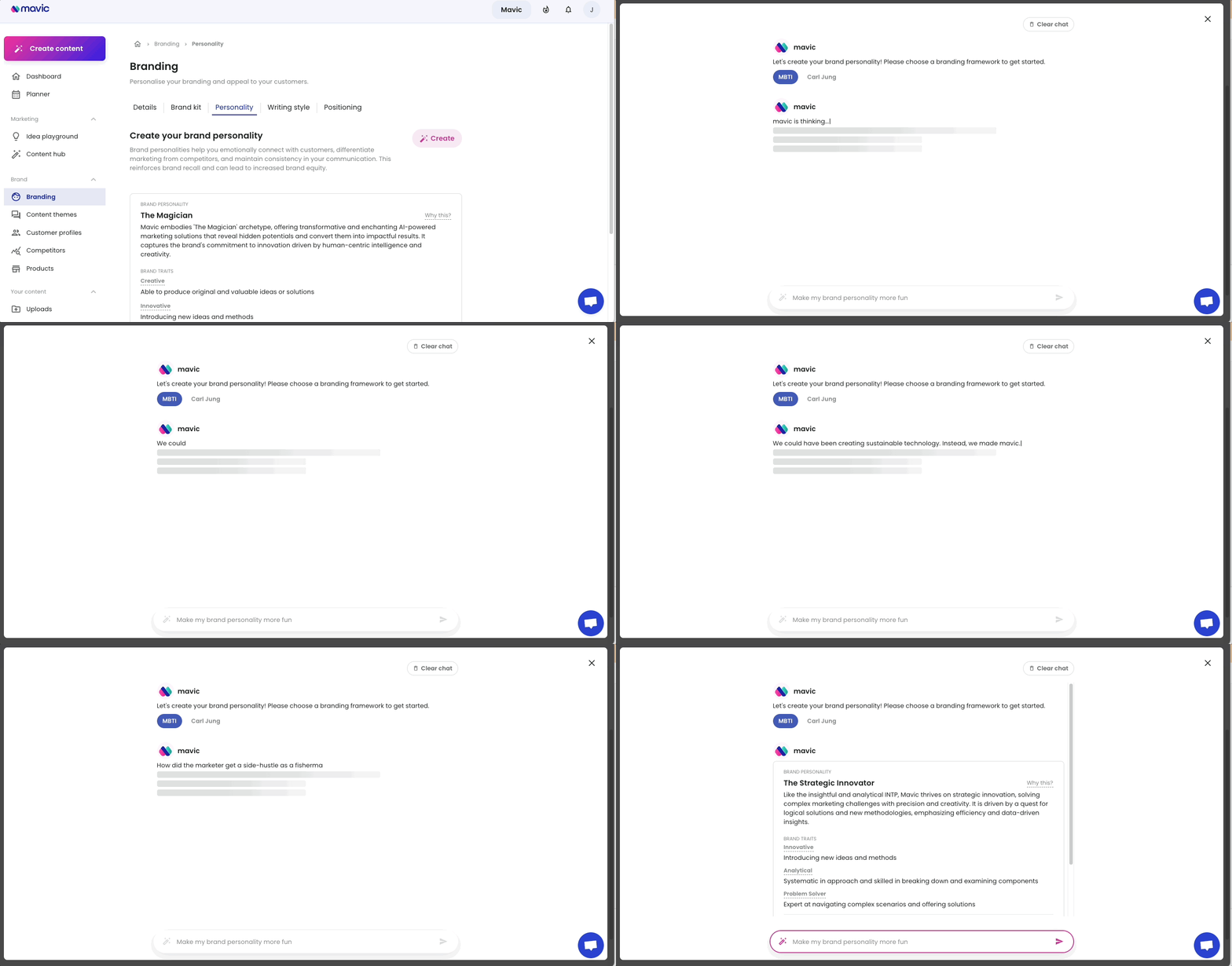
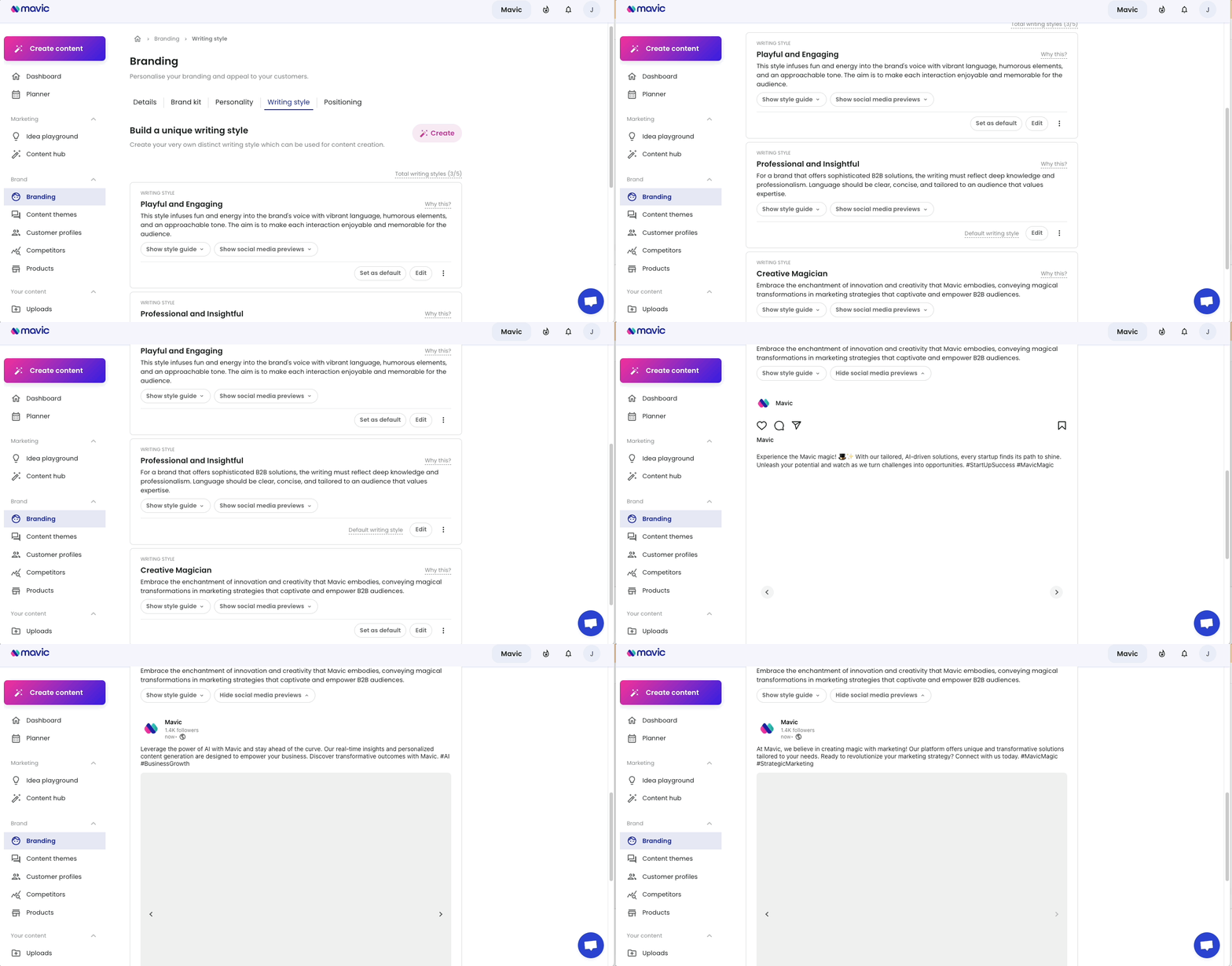
1. Define Your Brand Voice and Visual Identity – Once and Done
Maintaining brand consistency across different clients and platforms is time-consuming – especially when teams grow or freelance projects scale. With Mavic’s Brand Personality & Positioning Definition, you set your client’s tone, values, and unique traits once. Mavic then uses this as the foundation to ensure every piece of content reflects that brand voice – from captions to visuals.
Example: Managing a beauty client and a tech startup? Mavic adapts to each one’s tone – friendly and elegant for one, minimal and factual for the other – without needing to rewrite everything manually.
2. Build Precise Audience Avatars with Customer Profile Builder
Understanding your audience is crucial to crafting content that converts. Mavic’s Customer Profile Builder helps you go beyond surface-level demographics. It allows you to define detailed audience personas, including psychographics, buying motivations, content preferences, and behavior triggers.
This makes every campaign laser-focused – no more guessing what your audience wants to see.
3. Instant Content Ideas & Copy Generation with AI
Say goodbye to writer’s block and brainstorming marathons. Mavic’s Content Ideation Engine generates campaign hooks, topic ideas, and high-performing social posts – all aligned to the brand’s tone and business objectives.
Pair it with AI-Powered Writing to automatically generate:
- Social media captions (tailored to platform and voice)
- Blog outlines and full posts
- Emails, press releases, and even product descriptions
This feature alone can replace 2–3 copywriters for many teams.
4. Turn Words into Scroll-Stopping Visuals in Seconds
Forget switching between Canva, Photoshop, or outsourcing graphics. Mavic’s Image Generator turns prompts into custom images that reflect your brand tone and content type – whether you’re creating carousel posts for Instagram or banners for LinkedIn.
You can also upload a reference image and have Mavic generate variations using Image-to-Image AI.
Combined with an intuitive image editor, this means your design and content teams work together in one place.
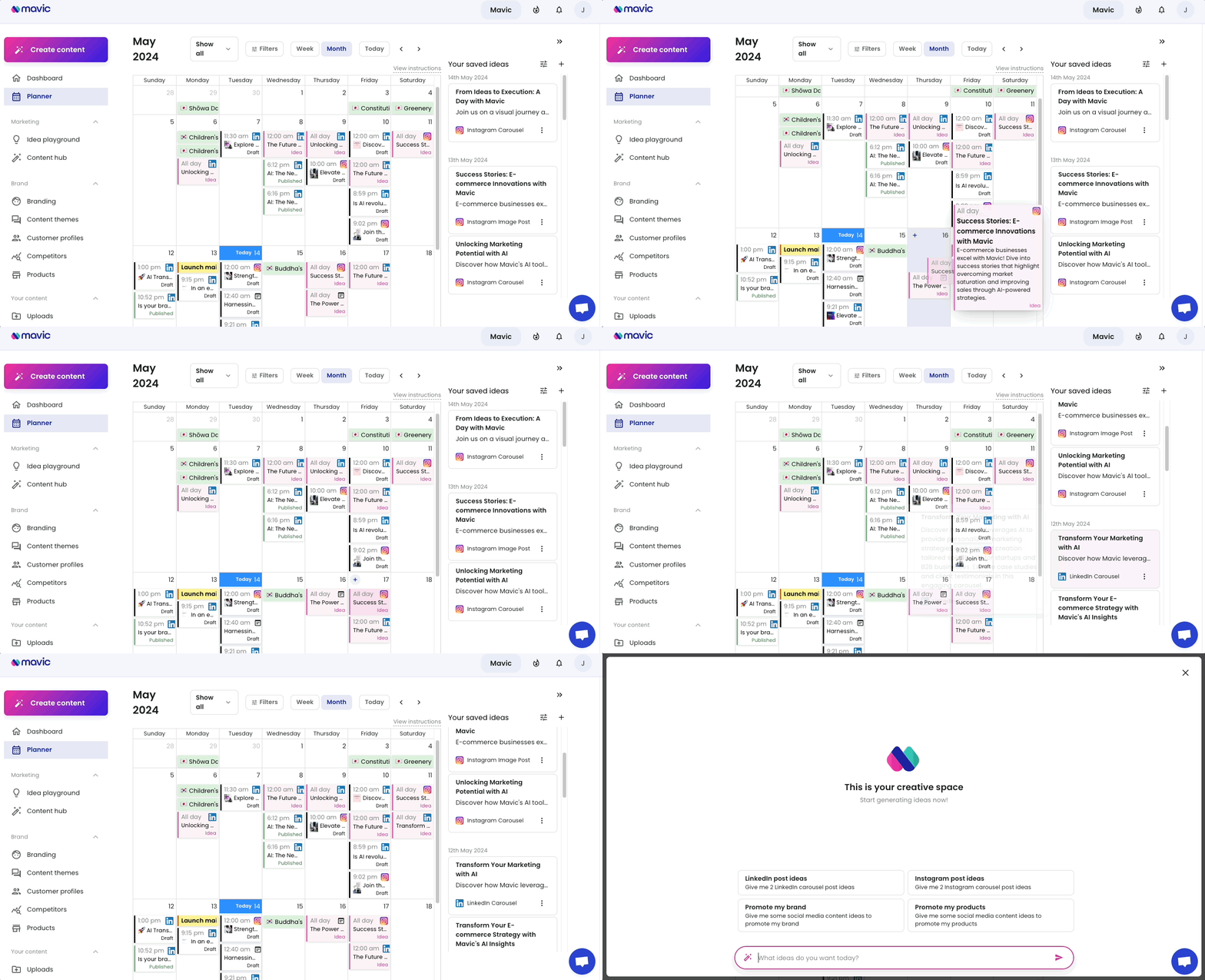
5. Centralized Content Planning with Visual Drag-and-Drop Calendar
With Mavic’s All-in-One Content Calendar, you get full visibility across all client campaigns. Plan, preview, and drag-and-drop content to schedule across Instagram, LinkedIn, Facebook, and more – all from one dashboard.
You can even:
- Annotate special holidays (great for seasonal campaigns)
- Add internal notes or assign tasks
- Use content filters to track post types and status
This replaces Trello, Google Sheets, and third-party planners with a real-time content HQ.
6. Automate Publishing Across All Channels
Once content is ready, you don’t need to manually post it. Mavic’s Scheduling & Publishing Engine lets you set optimal posting times (based on analytics), preview each post, and queue content weeks in advance.
It’s smart enough to adapt post format and copy per platform – removing the need to repurpose manually.
Tip: Combine with our “Best Time to Post” feature to get maximum reach for each platform.
7. Built-in Brand Kit & Product Catalog Management
Every brand needs consistent visual assets. Mavic allows you to store brand logos, fonts, color palettes, and even product visuals in a central Brand Kit.
If you manage eCommerce brands or product-based businesses, the Product Catalog Creator lets you store product images, names, and marketing details to pull from – ideal for campaign reuse or seasonal promotions.
8. Real-Time Performance Tracking with Smart Analytics
Forget Excel spreadsheets or messy third-party reports. Mavic’s AI Analytics Tool provides a real-time dashboard with:
- Platform-specific performance (reach, clicks, engagement)
- Post-level insights
- Audience growth trends
- ROI of content types (great for pitching to clients)
Agencies can generate auto-branded reports with a few clicks and track content ROI like never before.

9. Multilingual Support to Reach Global Markets
If you’re managing brands with international audiences, Mavic supports content creation in over 79 languages – and adapts your brand tone accordingly.
This is a game-changer for global campaigns or regional brand targeting.
10. Recurring Tasks, Smart Reminders, and Workflow Automation
No team wants to spend time reminding each other to post or follow up. With Mavic’s Smart Workflow Automation, you can:
- Set recurring campaigns (e.g., every Monday, Mavic generates a new “Motivation Post” for each client)
- Get nudges/reminders for upcoming holidays or low activity weeks
- Let the system auto-generate drafts for review based on brand guidelines
This feature replaces tools like Notion, Slack reminders, and manual task lists – keeping your team and clients on track.
Why This All Matters
If you’re currently juggling 4–6 different tools just to manage content creation, approvals, posting, and reporting – Mavic reduces that to one.
You’ll save:
- Hours of task-switching every week
- Thousands in subscriptions and freelance help
- Countless creative cycles stuck in feedback loops
And instead, you’ll deliver better campaigns faster – with one unified experience built specifically for agencies, freelancers, and growing brands.
Start Your Free Trial with Mavic
A Day in the Life: Using Mavic to Run 5 Clients Simultaneously
Let’s imagine Sarah, who runs a boutique content marketing agency.
8:00 AM – Logs in to Mavic and reviews her all-in-one content planner. All client posts are color-coded by brand.
8:30 AM – Uses Mavic’s AI caption generator to write and schedule 3 posts each for 5 different clients.
10:00 AM – Uploads fresh product images and uses the image generator to create scroll-stopping Instagram carousels.
11:30 AM – Reviews performance from the previous week. Sees that short-form video content performed 40% better across most clients.
12:00 PM – Adjusts the next week’s calendar using drag-and-drop. Adds a few holiday posts.
12:30 PM – Sends automated reports to each client using Mavic’s real-time analytics dashboard.
Sarah has scaled from 3 to 5 clients with zero burnout.
Top Benefits of Using Mavic as an Agency
- Reduce Tool Fatigue: Replace 5+ subscriptions with one unified platform.
- Save 10+ Hours/Week: No more switching between writing, designing, planning, and reporting tools.
- Instant Scalability: Add clients without hiring new staff.
- Always On-Brand: Every asset stays visually and tonally aligned.
- Smart Automation: Let Mavic handle repeat tasks and deadlines.
- Easy Collaboration: Team members can co-edit posts, leave notes, and assign tasks inside the calendar.
- Affordable: One price tiered by team size, with full access to all features.
🔗 See how Mavic automates your workflow
Final Thoughts: Replace the Tool Chaos with One Platform
Most agencies don’t have a marketing problem – they have a workflow problem.
You’re not short on skills. You’re short on time, alignment, and seamless systems.
By switching to a smart, integrated social media management tool for agencies like Mavic, you gain back hours of productive time, reduce errors, and deliver higher quality to your clients.
Let Mavic handle the busywork so you can focus on growing your agency.