
How to Trendjack a Viral Moment in Minutes with Mavic
TL;DR (Quick Answer): To trendjack a viral moment with Mavic, type a plain-English prompt naming the trend, format, and angle. Mavic generates a post-ready Instagram carousel (slides plus caption plus hashtags) in your brand voice. Refine it by commenting directly on any slide, then publish or schedule to your connected channel in one click. Total time: minutes, not hours.
Christopher Nolan just spent $250 million dragging Odysseus home, and for one week the entire internet is watching. That’s the thing about a cultural moment: the attention already exists. You don’t have to manufacture it. You just have to show up with something relevant before the wave breaks.
That’s trendjacking: tying your brand to a moment the world is already talking about. Done well, it’s the cheapest reach you’ll ever get. Done slowly, it’s a meme about a movie nobody’s talking about anymore.
The whole game is speed without sacrificing relevance or brand fit, which is exactly the tension Mavic is built to resolve. In this walkthrough, we’ll take one trend (Nolan’s The Odyssey) from a single prompt to a live, on-brand Instagram carousel. Then we’ll compare the experience to doing the same thing with Claude, Anthropic’s AI assistant.
What is trendjacking?
Trendjacking is the practice of attaching your brand to a viral cultural moment while the moment is still hot. It borrows attention that already exists (a movie release, a meme, a news event) and redirects a slice of it to your product or message. It’s sometimes called newsjacking. The rule that separates good trendjacks from cringey ones: the tie-in has to feel earned, the tone has to fit your brand, and the post has to go live before the trend cools.
How fast can you trendjack with Mavic?
End to end, a Mavic trendjack takes minutes. One prompt to draft, one refinement pass to polish, one click to publish. That’s the whole loop.
The 4-step Mavic trendjacking workflow
- Prompt Mavic to generate the trendjack
- Refine the asset in the asset detail view
- Publish directly from Mavic to your channel
- Compare the flow to Claude if you want a reality check
Step 1: How do you prompt Mavic to generate a trendjack?
Trendjacking in Mavic starts the same way every campaign does, with a plain-English prompt in the chat. The difference is that Mavic already knows your brand, your voice, and your channels, so you don’t have to re-explain who you are every time.
Here’s the prompt used in this example:
I want to trend jack this latest Odyssey movie: https://www.instagram.com/p/DbDQfzPnFDO/?igsh=emN4YWhmMTNwZzFz
Help to create an instagram post that talks about how to use mavic for trendjacking while also doing trendjacking on the post itself
Notice what the prompt does and doesn’t need to say. It names the trend, the format (Instagram carousel), the angle (a how-to that’s also a demo), and the tone. It does not need to specify brand colors, logo placement, caption structure, or hashtag strategy. Mavic pulls all of that from your brand profile automatically.
Within seconds, Mavic returns a complete, post-ready asset: designed carousel slides and a matching caption with hashtags. Not text you then have to design around.
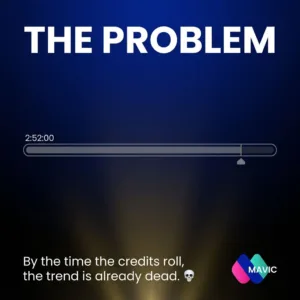

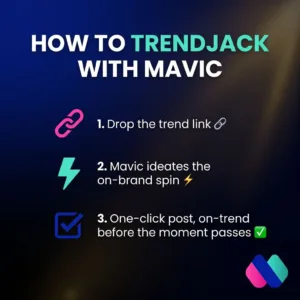
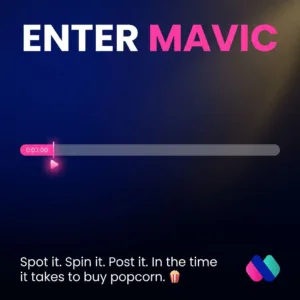
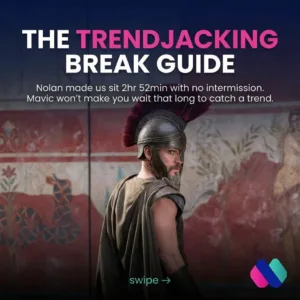
Prompt tip: the best trendjack prompts name a moment your audience already cares about, then tie it to something you actually sell. Mavic can suggest live trends in your niche if you ask (“what’s trending this week we could jump on?”) so you catch the wave before it peaks.
Step 2: How do you refine the asset in Mavic’s detail view?
The first draft is rarely the final draft, and this is where Mavic pulls ahead of a generic chatbot. Instead of re-typing a paragraph of instructions and hoping the whole asset regenerates the way you want, you click into the asset detail view and give feedback directly on the piece.
Open the generated carousel and you get the asset on one side and its controls on the other. From here you can:
- Leave feedback on a specific slide (“make slide 3’s headline punchier,” “swap this to our brand’s gold”)
- Adjust the caption or hashtags without touching the visuals
- Regenerate just the part you commented on, so the rest of the asset stays put
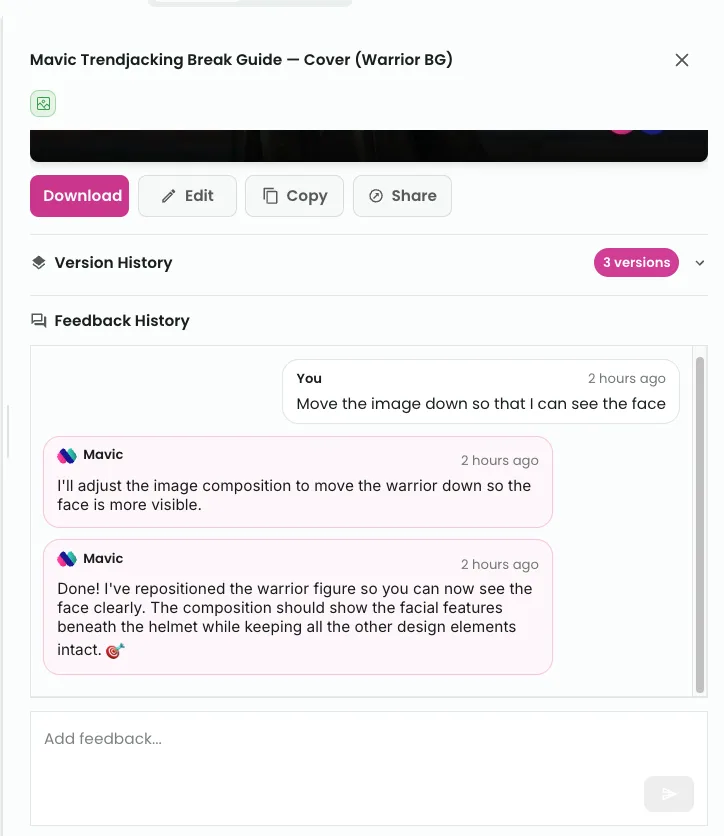
Give feedback to asset through the mavic.ai app.
This is the part that makes Mavic feel like working with a designer rather than a text box. The feedback is anchored to the asset, so the model knows exactly what you’re referring to. No ambiguity, no starting over.
Step 3: How do you publish directly from Mavic?
Here’s where most “AI content” workflows fall apart. You’ve got a great asset sitting in a chat window, and now you have to download six images, open Instagram, upload them in order, paste the caption, add the hashtags, and pray you didn’t fat-finger the slide sequence.
With Mavic, the asset is already where it needs to be. Once you’re happy with it, you publish straight from Mavic to your connected channel. Caption, hashtags, and slides in the right sequence, all intact. Schedule it for the optimal window or push it live immediately.
Because trends have a half-life, this matters more than it looks. The gap between “the asset is ready” and “the asset is live” is where trendjacks die. Mavic closes that gap to a single click.
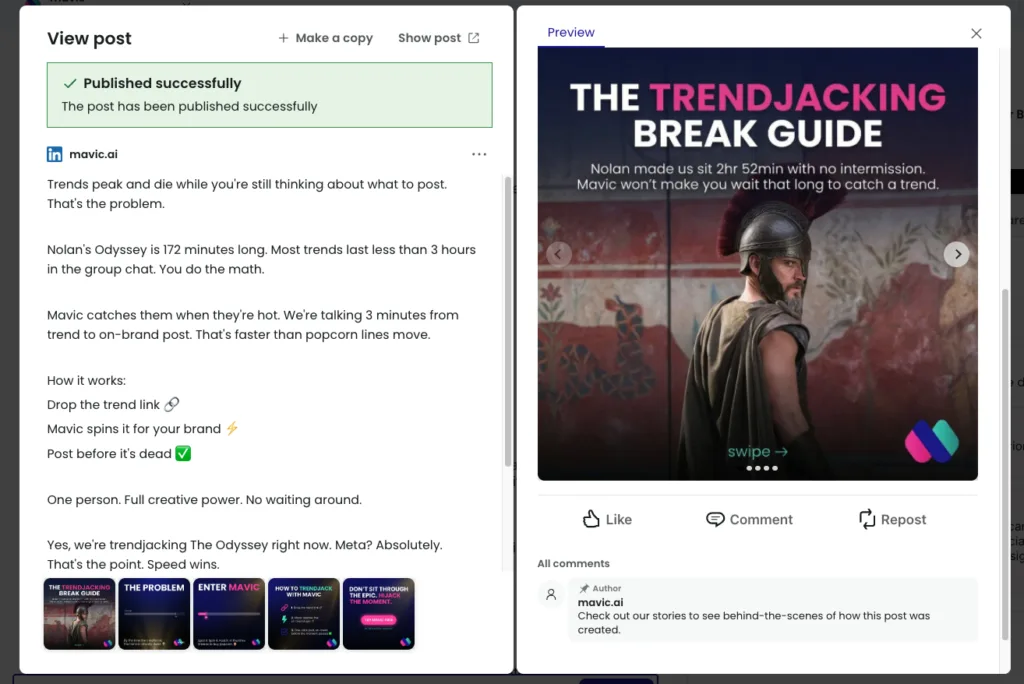
Post editor within Mavic.ai – directly publish to integrated social media channels.
Mavic vs. Claude: how do they compare for trendjacking?
To be fair, Claude is genuinely great at part of this. To make the comparison real, we ran the same Odyssey trendjack brief through Claude. Claude reasoned through the angle well, wrote a strong caption, abut the produced designed carousel slides looks like this:


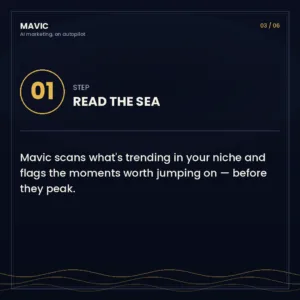
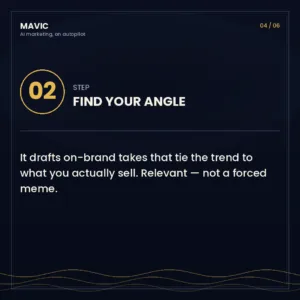
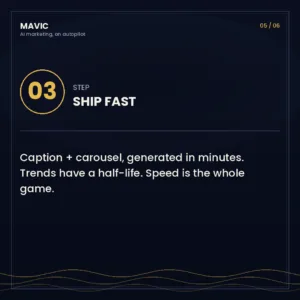
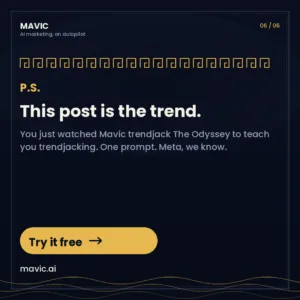
Claude is a superb creative collaborator. It’s flexible, it reasons well, and if you want fine-grained control over a one-off design, it’s excellent. But it hands you ingredients. You’re still the one who has to brand it, format it, and push it out the door.
Mavic is built for the last mile, the part where marketing actually ships. It treats a trendjack as a campaign to publish, not a conversation to have. For a solo founder or a lean team racing a trend’s clock, that last mile is the whole point.
FAQ
What is trendjacking?
Trendjacking is the marketing practice of attaching your brand to a viral cultural moment (a movie release, a meme, a news event) while attention around it is still peaking. The goal is to borrow existing attention rather than manufacture new demand. Good trendjacks are fast, on-brand, and clearly tied to something the brand actually sells.
How long does trendjacking with Mavic take?
A typical Mavic trendjack takes just a few minutes from prompt to published post. That includes generating the asset, refining a slide or two, and scheduling or publishing to your connected channel. Speed is the point, because trends decay quickly.
Do I need design skills to use Mavic for trendjacking?
No. Mavic generates fully designed carousel slides that already reflect your brand’s colors, fonts, and logo, pulled from your brand profile. You give feedback in plain English (“make this headline punchier,” “use our gold”) and Mavic updates the design for you.
How is Mavic different from Claude or ChatGPT for trendjacking?
Claude and ChatGPT are strong general creative collaborators, but they hand you ingredients: text, images, ideas that you still have to brand, format, and publish yourself. Mavic already knows your brand voice, produces post-ready assets, and publishes directly to your social channels. In short: Claude helps you think; Mavic helps you ship.
Can Mavic publish directly to Instagram?
Yes. Once your Instagram account is connected, Mavic can publish or schedule carousels, captions, and hashtags directly to Instagram without any manual downloading, reordering, or copy-pasting.
What social channels does Mavic support?
Mavic supports the main social channels marketers use daily, including Instagram, LinkedIn, Facebook, and X, with more integrations added over time. Check mavic.ai for the current list of supported channels.
Ready to trendjack the next viral moment?
The next Odyssey-sized moment is coming. Be the brand that shows up before the wave breaks.
Written by the Mavic team. This tutorial was built from a real end-to-end trendjack we ran ourselves, using the same Mavic workflow we’re teaching here. If something in the flow surprises you, that’s the point.