Mavic is now powered by Tandem, the engine behind everything Mavic does. One chat, a team of specialist AI agents, and content that is on-brand from the first draft.
Tandem is live on every plan, and there is nothing new to learn: you chat with Mavic as before. What changes is what happens after you hit send.
Your request no longer goes to one assistant doing its best at everything. It goes to a team: a planner, a copywriter, a designer, an art director, a video director and more, each a specialist, all working from your Brand DNA. They split the work, make their part, check it against your brand, and bring it back to you as one finished piece. And you stay in control: you approve before anything is published.
Here is what Tandem does, one part at a time.
Short on time? Here are seven things to try in one chat.
How Tandem handles a request
Every request takes the same four steps, whether you ask for one caption or a month of posts.
- Mavic plans it. It reads what you asked for, what you attached and what it already knows about your brand, and decides what the finished work needs: copy, a design, an image, a video.
- Each part goes to a specialist. The copywriter writes, the designer lays out, the art director paints the picture, the video director storyboards the reel. Each one gets only what its job needs.
- Parts that don’t depend on each other run side by side. Three posts are written at once, not one after another, and the pieces come back together as one result.
- You approve. Mavic shows you the work before anything goes out, and nothing is published until you say so.
Ask for exactly what you need
Tandem reads what you are asking for, not just the topic. “Create an image for my LinkedIn post using these figures” gets you the image, ready to drop into a post you are writing yourself. “Create a LinkedIn post with an image” gets you the whole post: the caption and the image, designed together.
The same goes for formats. Ask for a flyer and Mavic picks from 72 flyer layouts and fills one with your brand’s colours, fonts and logo: your headline, your offer, your dates, set the way a designer would set them.
Start from what you already have
You don’t have to describe a look in words. Attach a design you like, an ad you saw or a post from last year, and Mavic rebuilds it for your brand: the reference’s composition, style and light stay, and the content becomes yours.
Your own photos work the same way. Attach a photo and ask for a change, “remove the other people” or “make the background a beach”, and Mavic edits that photo instead of painting a new one. Your product, your team and your venue stay in your photo.
Change it by saying so
Tandem knows how your next message relates to what it just made. “Make it shorter”, “warmer” or “try again” changes that piece. Feedback on a design edits that design, instead of starting a new one. A new request starts fresh.
Make it yours in Studio
What Mavic makes is a design you can work on, not a flat picture. Open any post or flyer in Studio and every part is its own layer: the headline, the body text, your logo, the picture and the shapes behind them.
- Edit text in place: click a headline and type, in your brand fonts.
- Move and resize anything: drag a layer where you want it, and reorder layers in the layers panel.
- Swap the picture: pick from your library or stock media, or generate a new image or video right on the canvas with AI Studio.
- Keep it on brand: your colours, fonts and logo sit in the Brand kit, one click away.
- Resize for every channel: turn the same design into a story, a square post or a banner.
Mavic does the heavy lifting, and the finishing touches are yours, the way you would make them in any design tool.
Reels in one piece, in any style
One sentence gets you a finished reel. The video director writes a storyboard, each scene is generated, and the reel comes back as one complete video with your brand’s type on it. If one clip fails, you still get the rest of the video.
Approve and publish from chat
When the work is ready, you don’t have to leave the chat. Approve it by replying, “approve the first two” or “redo the third, warmer”, or with one click on the card. Then ask Mavic to publish or schedule it: “post this on LinkedIn tomorrow at 9am”. Mavic shows you a confirmation first, posts only once you approve, and reports the post’s status right in the chat. If the date or time is unclear, it asks, using your workspace’s timezone.
What makes Tandem different
Any tool can generate a post. Tandem is built so the post is right for your brand, and stays right as you work.
- Brand DNA, one source of truth. Your voice, colours, fonts, audiences and products live in one place you can edit. Every agent works from it, so a change there reaches every piece Mavic makes next.
- The Taste Graph. Every agent carries the expertise of an experienced marketing team: what makes a headline land, how a flyer is set, how a reel is paced. Your brand decides what is said; the Taste Graph decides how well it is done.
- Context that organises itself. Each specialist sees only what its job needs, so nothing gets lost or muddled in a long chat, and feedback reaches the piece it is about.
- Work that runs side by side. Parts that don’t depend on each other are made at the same time and brought back together, so a bigger request doesn’t mean a longer wait for each piece.
Want the technical tour? See how Tandem works.
Already at work
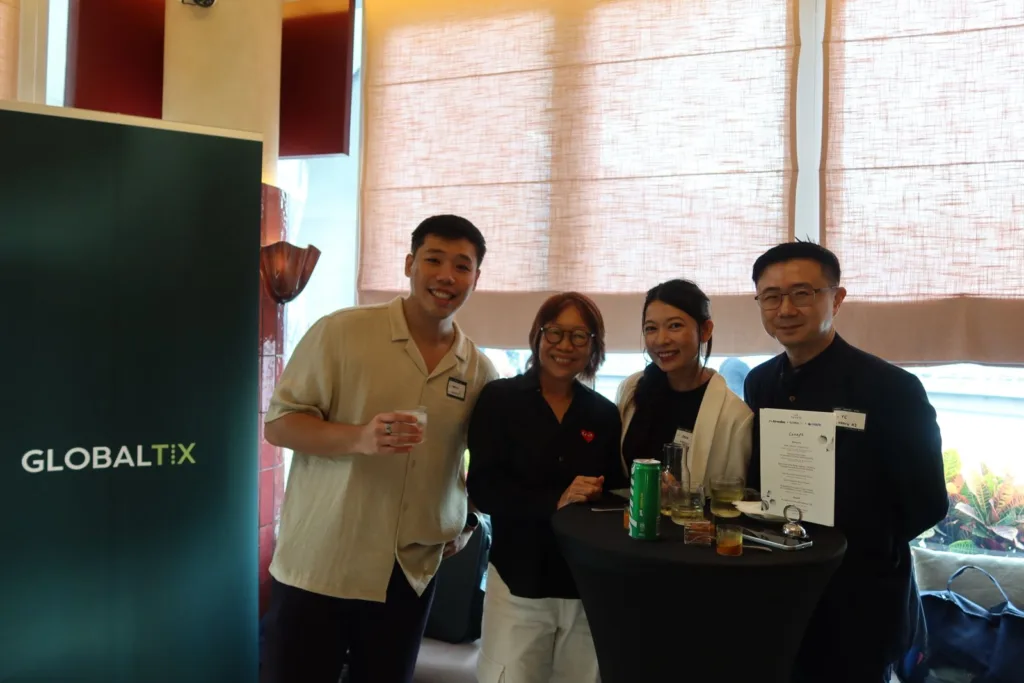
Tandem is already helping attractions across the region grow their marketing, through our partnership with GlobalTix. Read the GlobalTix announcement or see Mavic for attractions.
Everything else in this release
- Product import beyond Shopify: bring in products from WooCommerce, Magento, PrestaShop, Squarespace and Wix sites, including shops that load their products with JavaScript.
- Web research: Mavic’s research analyst searches Google and reads websites while it works.
- A greeting that knows your week: a new chat opens with suggestions based on what’s coming up in your calendar.
- Mavic on your phone: sign-up and chat now work properly on a phone.
- Clearer errors: when something goes wrong, Mavic says so in plain words, with a way to try again.
Frequently asked questions
Do I need to do anything to use Tandem?
No. Tandem is live on every plan. Start a new chat and you are using it.
Will Mavic publish anything without me?
No. You approve before anything is published.
What is the Taste Graph?
The expertise of an experienced marketing team, built into every Mavic agent. It shapes how well the work is done; your Brand DNA decides what it says.
Can I still edit what Mavic makes?
Yes. Every design opens in Studio as editable layers.
Try Tandem with your own brand. Start free or book a demo.