You want to build your brand, and AI can help. But ask it to write a post for your brand and it often sounds like everyone else’s. That isn’t a model problem. Nobody told it how your brand sounds.
Getting your AI brand voice right comes down to what you give it. This post covers what an AI needs to know to sound like you, the five things to write down, and a free Brand Voice Workbook that turns your answers into a finished style guide. It now comes with presets, so you can pick a starting point instead of facing a blank page.
Why AI sounds generic

Start with a first principle. AI works with two kinds of data. The first is what it learned in training. That is sealed inside the model: you can’t see it and you can’t change it. The second is what it receives from you: your prompt, your files, your brand information.
Training gives it a general sense of how brands sound. Only what you give it can tell it how your brand sounds.
So what should you give it? Give it too little and it fills the gaps with the average of everything it has seen. That is the generic sound. Give it too much and the rules that matter get buried. Researchers have found that language models use information at the start and end of a long input better than information in the middle (Liu et al., 2024). The goal isn’t a longer brand book. It is the few inputs that shape the output, written specifically enough to follow.
Which input shapes which output
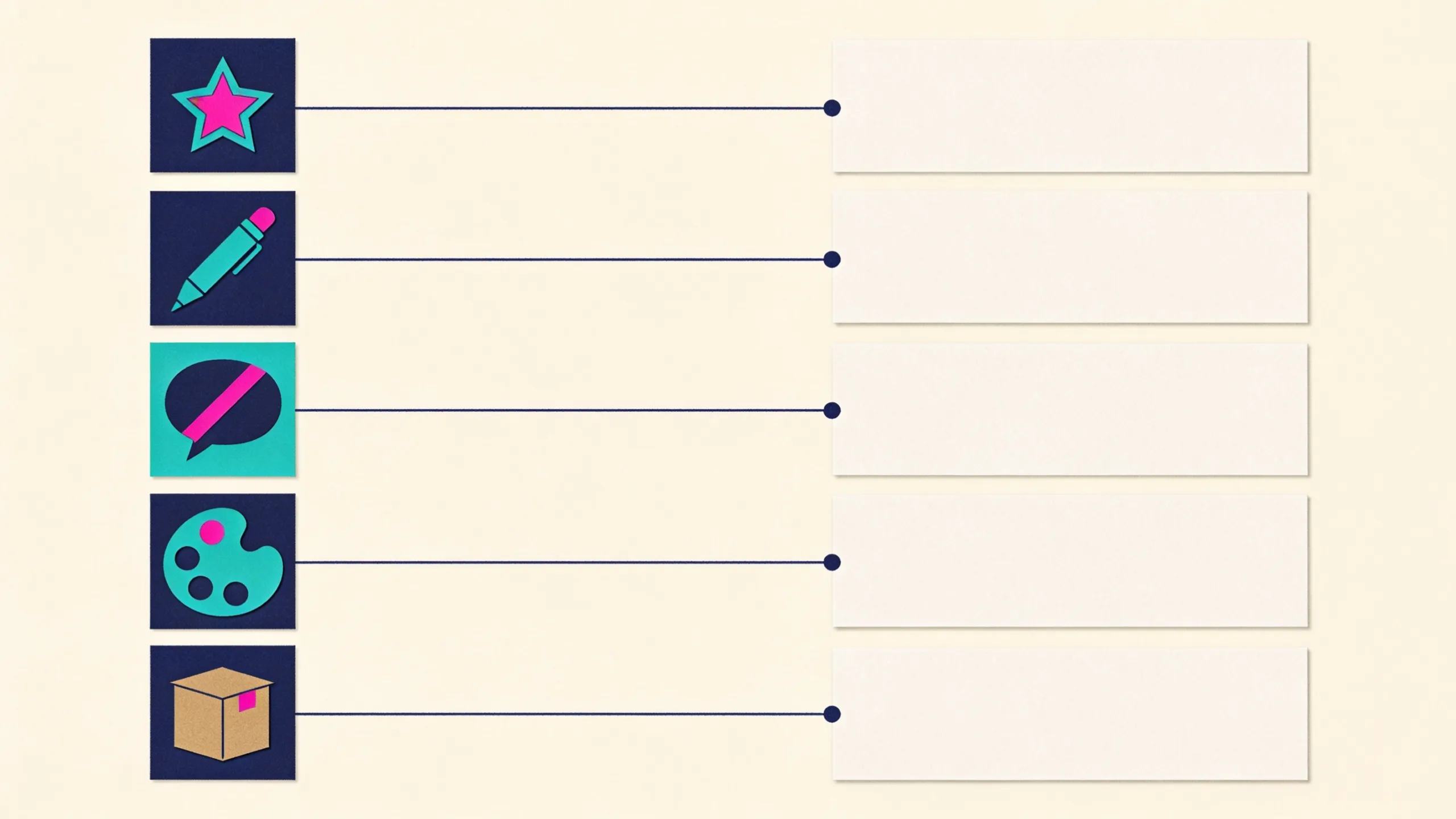
- Personality shapes attitude and word choice.
- Writing style, one per channel, shapes how sentences are built: length, openings, closings, formatting.
- A ban list sets what it never says.
- Visual identity shapes every image and layout.
- Customer profiles tell it who it is talking to.
- Products and services keep the facts right.
The first three decide how your words sound. They are what the workbook covers, and the part most brands have never written down. If you want the wider case for writing the standard down before you prompt, we made it in Vibe marketing needs a spec, not a better prompt.
Five steps, about an hour
- Personality (15 minutes). Pick 3 to 5 traits that are true today, not the ones you hope for. Weight each from 0 to 100 and give the highest weight to the trait that defines you most. For each, write what it sounds like and what it does not mean. Direct can mean “we say the price and the catch before the pitch”. It should never mean blunt or rude.
- Tone by channel (15 minutes). Your personality stays the same. Your tone changes with the room. For each channel, decide who you are talking to, how formal you are, how long your sentences run, how you open, how you close and how you format.
- Do and don’t (10 minutes). Turn your taste into rules a stranger could follow without asking you, each with an example of both sides. Do: concrete details, such as the number, the place and the time. Don’t: vague praise, such as fast, reliable and quality.
- Ban list (10 minutes). List 20 to 30 words and phrases you never want to see: the AI cliches, the words everyone in your category uses, and your competitors’ favourite phrases. Ban phrases as well as single words, and add what to say instead.
- Test (10 minutes). Write or generate five posts and read each one out loud. Does it sound like you? Is it free of banned words? When something is off, don’t just fix the post. Fix the rule behind it, then run the same request again.
The numbers here (3 to 5 traits, 20 to 30 banned words, five test posts) are our rules of thumb, not research. Change them if your tests say so.
Start from presets, then make it yours
A blank sheet is where most brand voice work stalls, so the workbook now starts you off. Every yellow cell with a dropdown has presets: 12 archetypes, 24 traits with what each one sounds like and what it does not mean, 13 channels with a suggested tone for each, 21 do and don’t rules, nine ban list packs (AI cliches, corporate jargon, hype words, filler, pushy sales lines and category packs) and ten test prompts.
Pick a channel and a suggested tone fills in underneath. Pick a trait and its wording appears beside it. Anything you type yourself wins over the preset.
Here is the catch, and it is the same catch as with AI. A preset is the average of what most brands would choose. A guide built only from presets works, but it sounds like the brand next door. Two things make it yours: rewriting the descriptions in your own words, and an example line in your voice for every trait and every channel. No preset can write those, so the workbook keeps count of what is still generic.
A style guide that writes itself
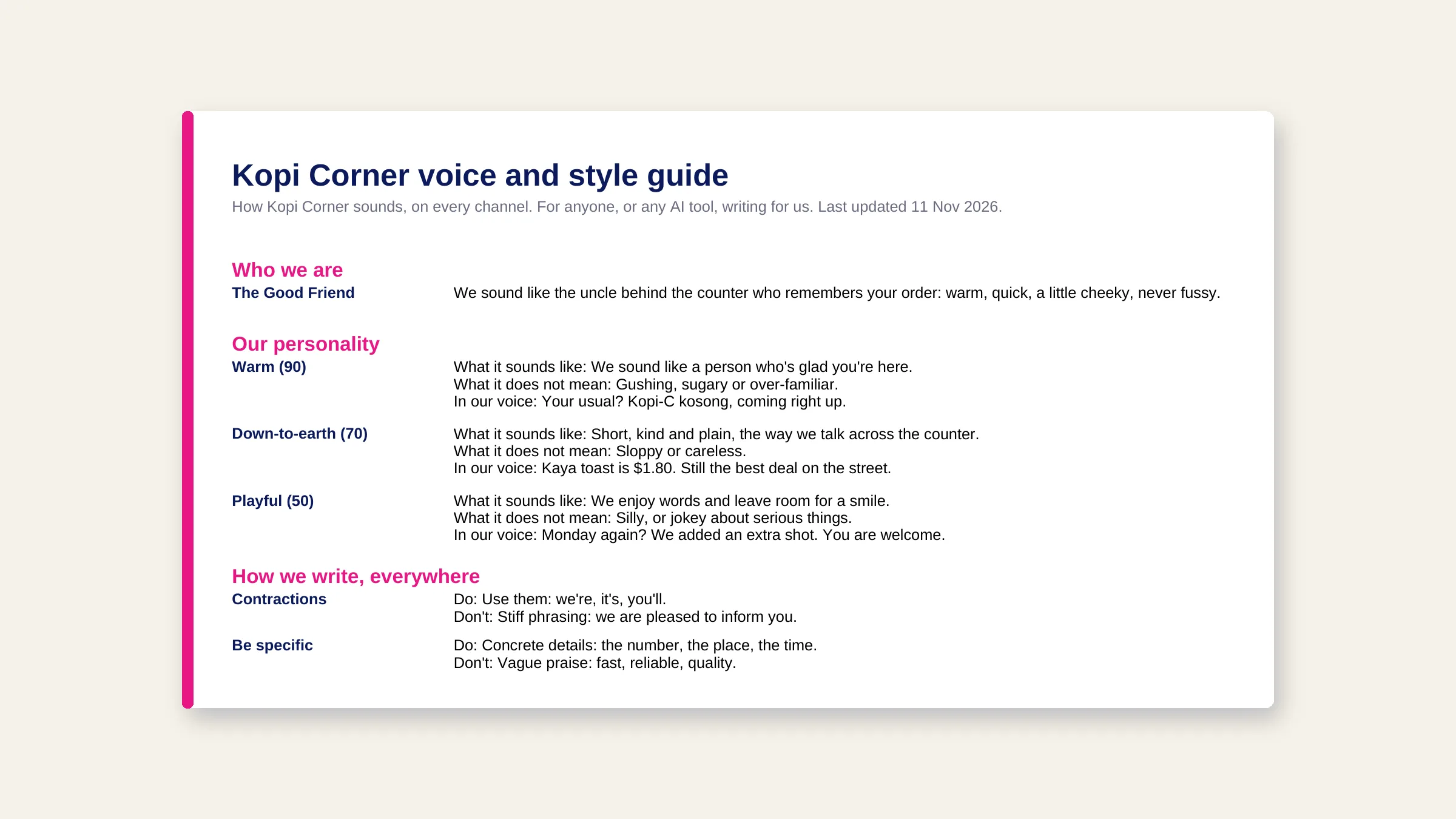
As you fill in the first four sheets, the workbook assembles a finished voice and style guide: who you are, your personality, how you write everywhere, channel by channel, the words you never use and a short check to run before anything goes out. Add your brand name and it is ready to print and share with a writer or an agency.
The same guide also sits in a single cell as plain text, so you can paste it into any AI tool’s instructions. The image above is part of one for a fictional Singapore coffee shop, built from presets in a few minutes and then made its own with three example lines.
Do it in Mavic
In Mavic, these inputs live in your Brand DNA, and Mavic works from it on every post, image and video. Sheet 7 of the workbook splits your answers field by field so you can paste them in:
- Personality: Brand DNA, then Branding, then Personality. Add your archetype and traits, each with its weight. (Help: Brand Personality)
- Writing style: one per channel, with a title, a one-sentence description and the style guide from the workbook. (Help: Writing Style)
- Ban list: paste the workbook’s comma-separated line into + Add term, or ask Mavic in chat to suggest a starter list and use Add to Brand DNA. (Help: Ban List)
Then test it: in a new chat, type @ to pick your writing style and a customer profile, and ask for a post. The ban list is a strong nudge, not a hard filter, so read long drafts before you schedule them. Nothing publishes until you do.
Get the free Brand Voice Workbook
The workbook is a spreadsheet that works in Excel and Google Sheets. Pick from the presets, make them yours, and leave with a style guide your writers and your AI tools can follow. Download it free from Mavic Toolkits.
Sources
- Nelson F. Liu, Kevin Lin, John Hewitt, Ashwin Paranjape, Michele Bevilacqua, Fabio Petroni and Percy Liang, Lost in the Middle: How Language Models Use Long Contexts, Transactions of the Association for Computational Linguistics, 2024.
- Mavic Help Centre: Brand Personality, Writing Style and Ban List, updated November 2026.